Can You Play a Life Simulator Online Without Downloading?
Play Pixel Life Online on a desktop or mobile browser without an installer. Learn the account requirements, free-play limits and how cloud saves work.
Play free in your browser · How online play works · Watch actual gameplay
Yes: open the browser game instead of an installer
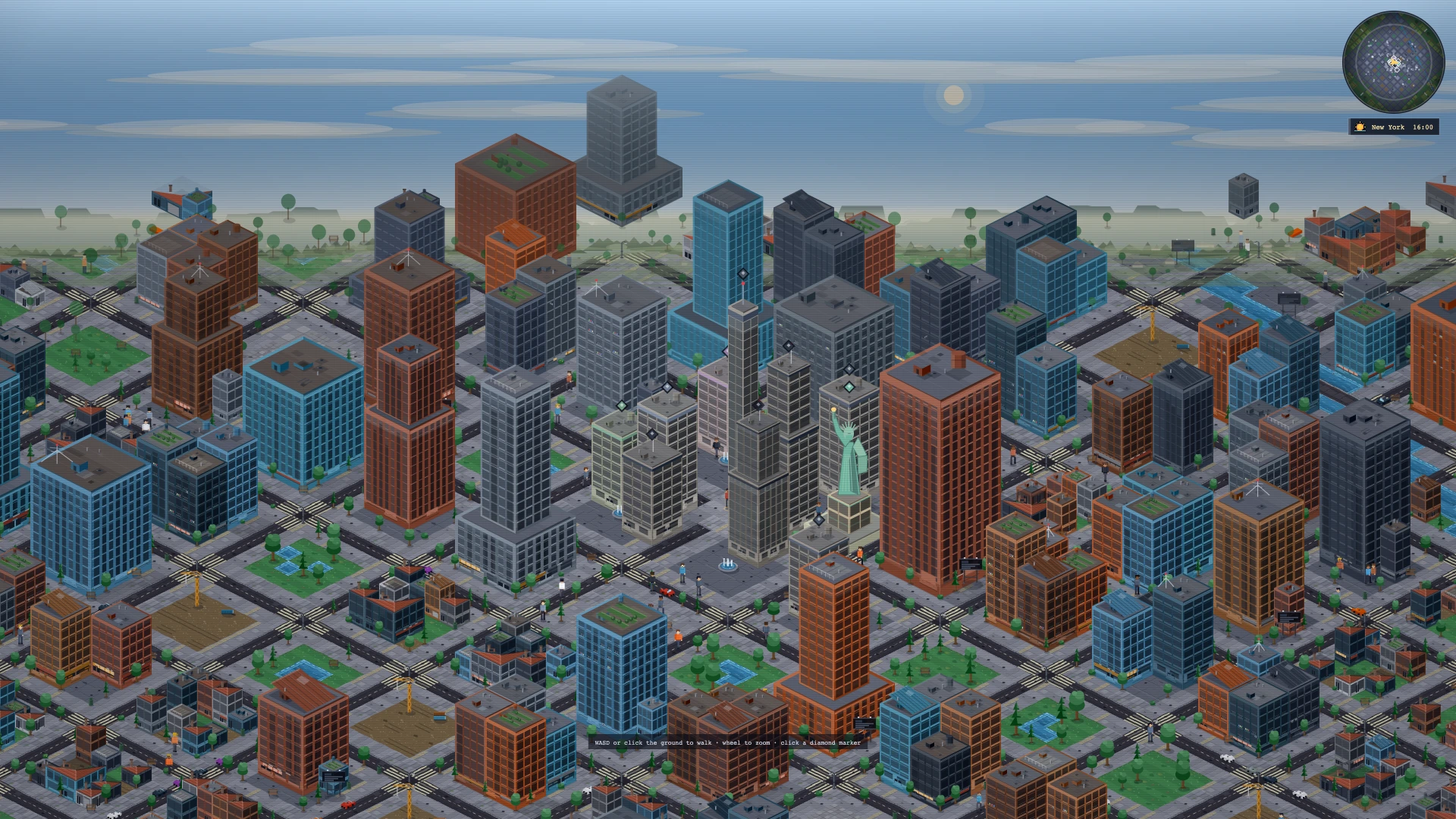
Pixel Life Online is a browser life simulator. Open the official website, inspect its game footage or city preview, then choose Play free to enter the account flow. You do not need a native game package, browser plugin or app-store installation. A supported browser, JavaScript and an internet connection are required.
This is a fictional life simulation with careers, study, homes, city choices and relationships. It is a separate game with its own systems, not an official browser edition of BitLife or The Sims. If you are choosing a life simulator, watch an interview or housing clip first: those examples show the actual interaction more clearly than a genre label can.
Does no download also mean no account or no payment?
An account is required for the playable game and its cloud save. Register with an email address you can verify, or use supported Google sign-in. You must be at least 18, legally an adult where you live and eligible under the current Terms. The website's city preview is available before game sign-in; it is not a separate persistent character.
The first character's gameplay and cloud saves are free. A separate additional character slot is an optional purchase. That purchase is not a requirement for continuing the first life. Read the checkout description and Terms if you decide to buy an extra slot; no download describes the delivery format, not a promise that every optional feature is free.
How to switch from a computer to a phone
On the first device, finish the current action and wait until the indicator says Cloud saved. On the second device, sign in to the same verified email account or supported Google account. Let the server state load before starting another action. This keeps a no-download game session tied to one accepted save.
Do not rely on a private browser tab or a different sign-in to carry progress. If the new device shows an old state, check the account identity and reload as instructed. A Conflict; reload message means the tab must read the server's newer state before continuing.
Can I play on a phone as well as a computer?
The browser experience has desktop and mobile layouts. A smaller screen still needs to show a dense life: time, health, cash, work, housing and event results. Open one panel at a time and read the outcome before choosing another action. Use the visible close controls instead of the browser back button during an active modal or authentication step.
On a computer, extra space can make comparing roles or properties easier. On a phone, keep the current panel focused and remain connected while saving. Neither layout removes the need to plan time and energy. The English interface is the default, and available language choices are in Settings after entering the game.
What if the game does not load or the save looks old?
First distinguish a loading problem from an account problem. The game needs JavaScript, normal site storage and a working connection. Do not enter credentials into a downloaded clone or an unrelated support page. If the website loads but the wrong character appears, check that you used the same account as on the original device before creating another life.
A browser tab is not proof that the latest action reached the server. Use the Cloud saved status and follow conflict messages before switching devices. Report a persistent issue through Feedback in Settings, including the device, browser and visible error. Do not include a password, verification code or private account data.
Will a browser life simulator work offline?
This one requires a network connection. No download means there is no native client to install; the browser still loads game assets, signs in and sends cloud-save requests. A page left open without a connection is not a reliable offline version, and progress is not automatically copied into every browser you use.
Start with one affordable in-game goal and save before leaving. Jobs, property, markets and health are fictional systems, so the consequences are part of a virtual character's story rather than real employment, investing or medical outcomes. Check the current eligibility and feature rules in the Terms before playing.
Start your own life · See interviews, homes and city encounters · Accounts, access and game FAQ