How Do You Get a Job in Pixel Life Online? Careers and Interviews
Find an eligible role, compare its schedule, send a CV and follow interview stages in Pixel Life Online. Learn why a bigger salary is only part of the choice.
Play free in your browser · How online play works · Watch actual gameplay
Start with an eligible role in Careers
To look for a job, open Careers, use the available filters and inspect a role's requirements before sending a CV. The application may progress through several stages, and a successful offer still needs to be accepted. A role that appears in the catalogue is not necessarily available to the current character. Read the stated conditions rather than repeatedly applying to a locked position.
The fictional salary is one input into the decision, not a promise that the character will keep every unit of it. Living costs, travel and the rest of the simulation continue to run. A role with a larger headline salary can therefore produce a different experience from a role that leaves more time or energy for other plans. The useful question is whether the position fits this character's current situation.
Check requirements before applying
Opening a job shows its current requirements and the character's status against them. Requirements can include skills, education, age, money or other game conditions. If a position is locked, the game explains the reasons instead of treating the application as a hidden lottery. Use those reasons to decide whether to prepare first or look for another opening.
Preparation is part of the fictional life rather than a separate menu puzzle. Study, previous work and character attributes can change which jobs are available. The city also develops over time, so the list of openings is not a permanent catalogue. Revisit the career view after the character's situation changes, especially after completing study or moving to another city.
What happens after you send a CV?
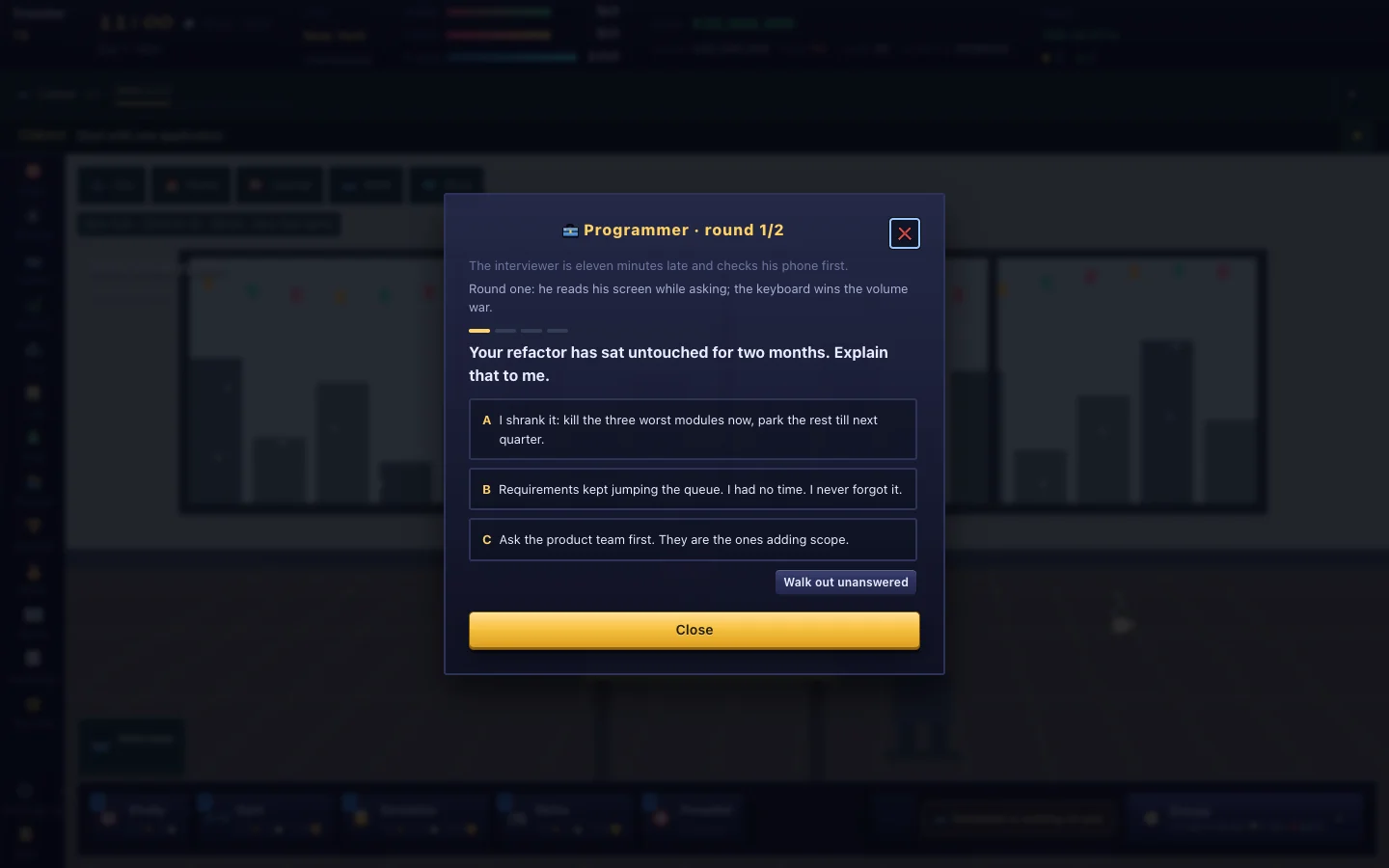
Sending a resume starts an in-game hiring process. Depending on the position, the process can include a written test, an interview and a reference check. The interface shows the round and the next step when an application is active. This gives the character a sequence of decisions to follow instead of resolving every application in one click.
Interview questions are part of the simulation's activities and skills. Read each prompt, answer it and continue through the round. The result is fictional and belongs to this character's save; it is not an assessment of your real ability or a recommendation about real employment. A difficult result can still teach you how the game weighs the character's current preparation.
Should you accept every offer with higher pay?
Passing the earlier stages does not remove the choice at the end. When an offer is waiting, the career panel identifies the job and gives the character an opportunity to accept or decline it. Compare the offer with the current role, rest pattern, commute and the plans you want to keep pursuing. Accepting a position changes the character's working life, so it is reasonable to pause and read the details before confirming.
The game keeps the hiring state with the account's cloud save. If you move between devices, sign in to the same account and wait for the save indicator to report that the latest state has been accepted. A second open tab does not combine two versions of a career. When the interface reports a conflict, reload as instructed before making more changes.
Try one career experiment before planning a perfect life
The career system is designed for trying different lives. You can compare a stable routine with a more demanding position, study toward a new requirement or see how a city's development changes the opportunities around you. There is no single correct career path, and an application that fails is information about the current character rather than a permanent verdict.
All jobs, salaries, interview results and reference checks in Pixel Life Online are fictional game systems. They are not real employment services, recruiting decisions or career advice. For account questions, use the guide and Settings. If a career screen behaves unexpectedly, submit a Feedback report with the visible message and avoid including passwords or verification codes.
Start your own life · See interviews, homes and city encounters · Accounts, access and game FAQ